Prompt Caching

What's Prompt Cache

Prompt caching allows you to reduce overall request latency and cost for longer prompts that have identical content at the beginning of the prompt.

"Prompt" in this context is referring to the input you send to the model as part of your chat completions request. Rather than reprocess the same input tokens over and over again, the service is able to retain a temporary cache of processed input token computations to improve overall performance. Prompt caching has no impact on the output content returned in the model response beyond a reduction in latency and cost.

circle-info

Typically, cache read fees are about 10%-25% of the original input cost, saving up to 90% of input costs.

Best Practices for Prompt Cache

Maximizing Cache Hit Rate

Optimization Recommendations

  • Maintain Prefix Consistency: Place static content at the beginning of prompts, variable content at the end

  • Use Breakpoints Wisely: Set different cache breakpoints based on content update frequency

  • Avoid Minor Changes: Ensure cached content remains completely consistent across multiple requests

  • Control Cache Time Window: Initiate subsequent requests within 5 minutes to hit cache

Extending Cache Time (1-hour TTL)

If your request intervals may exceed 5 minutes, consider using 1-hour cache:

{
    "type": "text",
    "text": "Long document content...",
    "cache_control": {
        "type": "ephemeral",
        "ttl": "1h" # Extend to 1 hour #
    }
}

The write cost for 1-hour cache is 2x the base fee (compared to 1.25x for 5-minute cache), only worthwhile in low-frequency but regular call scenarios.

Avoiding Common Pitfalls

Common Issues

  1. Cached Content Too Short: Ensure cached content meets minimum token requirements

  2. Content Inconsistency: Changes in JSON object key order will invalidate cache (certain languages like Go, Swift)

  3. Mixed Format Usage: Using different formatting approaches for the same content

  4. Ignoring Cache Validity Period: Cache becomes invalid after 5 minutes

Caching Types

Models supported by Infron offer two types of prompt caching mechanisms:

Caching Type
Usage Method

Implicit Caching

No configuration needed, automatically managed by model provider

Explicit Caching

Requires cache_control parameter

Implicit Caching

The following model providers provide implicit automatic prompt caching, requiring no special parameters in requestsβ€”the model automatically detects and caches reusable content.

πŸ’‘ Optimization Recommendations

To maximize cache hit rate, follow these best practices:

  1. Static-to-Dynamic Ordering: Place stable, reusable content (such as system instructions, few-shot examples, document context) at the beginning of the messages array

  2. Variable Content at End: Place variable, request-specific content (such as current user question, dynamic data) at the end of the array

  3. Maintain Prefix Consistency: Ensure cached content remains completely consistent across multiple requests (including spaces and punctuation)

Explicit Caching

Anthropic Claude and Qwen series models can explicitly specify caching strategies through specific parameters. This approach provides the finest control but requires developers to actively manage caching strategies.

Model Provider
Official Documentation
Quick Start

Caching Working Principle

When you send a request with cache_control markers:

  1. The system checks if a reusable cache prefix exists

  2. If a matching cache is found, cached content is used (reducing cost)

  3. If no match is found, the complete prompt is processed and a new cache entry is created

Cached content includes the complete prefix in the request: tools β†’ system β†’ messages (in this order), up to where cache_control is marked.

Automatic Prefix Check

You only need to add a cache breakpoint at the end of static content, and the system will automatically check approximately the preceding 20 content blocks for reusable cache boundaries. If the prompt contains more than 20 content blocks, consider adding additional cache_control breakpoints to ensure all content can be cached.

Getting Started

Anthropic Claude

Minimum Cache Length

Minimum cacheable token count for different models:

Model Series
Minimum Cache Tokens

Claude Opus 4.1/4

1024 tokens

Claude Haiku 3.5

2048 tokens

Sonnet 4.5/4/3.7

1024 tokens

Caching Price

  • Cache writes: charged at 1.25x the price of the original input pricing

  • Cache reads: charged at 0.1x the price of the original input pricing

Cache Breakpoint Count

Prompt caching with Anthropic requires the use of cache_control breakpoints. There is a limit of 4 breakpoints, and the cache will expire within 5 minutes. Therefore, it is recommended to reserve the cache breakpoints for large bodies of text, such as character cards, CSV data, RAG data, book chapters, etc. And there is a minimum prompt size of 1024 tokens.

Click here to read more about Anthropic prompt caching and its limitation.arrow-up-right

The cache_control breakpoint can only be inserted into the text part of a multipart message. Prompts shorter than the minimum token count will not be cached even if marked with cache_control. Requests will be processed normally but no cache will be created.

Cache Validity Period

  • Default TTL: 5 minutes

  • Extended TTL: 1 hour (requires additional fee)

Cache automatically refreshes with each use at no additional cost.

System message caching example:

User message caching example:

Basic Usage: Caching System Prompts

Advanced Usage: Caching Tool Definitions

When your application uses many tools, caching tool definitions can significantly reduce costs:

By adding a cache_control marker on the last tool definition, the system will automatically cache all tool definitions as a complete prefix.

Advanced Usage: Caching Conversation History

In long conversation scenarios, you can cache the entire conversation history:

By adding cache_control to the last message of each conversation round, the system will automatically find and use the longest matching prefix from previously cached content. Even if content was previously marked with cache_control, as long as it's used within 5 minutes, it will automatically hit the cache and refresh the validity period.

Advanced Usage: Multi-Breakpoint Combination

When you have multiple content segments with different update frequencies, you can use multiple cache breakpoints:

Using multiple cache breakpoints allows content with different update frequencies to be cached independently:

  • Breakpoint 1: Tool definitions (almost never change)

  • Breakpoint 2: System instructions (rarely change)

  • Breakpoint 3: RAG documents (may update daily)

  • Breakpoint 4: Conversation history (changes every round)

When only the conversation history is updated, the cache for the first three breakpoints remains valid, maximizing cost savings.

What Invalidates Cache

The following operations will invalidate part or all of the cache:

Changed Content
Tool Cache
System Cache
Message Cache
Impact Description

Tool Definitions

✘

✘

✘

Modifying tool definitions invalidates entire cache

System Prompt

βœ“

✘

✘

Modifying system prompt invalidates system and message cache

tool_choice Parameter

βœ“

βœ“

✘

Only affects message cache

Add/Remove Images

βœ“

βœ“

✘

Only affects message cache

OpenAI

Caching price changes:

  • Cache writes: no cost

  • Cache reads: charged at 0.1x ~ 0.5x the price of the original input pricing

Click here to view OpenAI's cache pricing per model.arrow-up-right

Prompt caching with OpenAI is automated and does not require any additional configuration. There is a minimum prompt size of 1024 tokens.

Click here to read more about OpenAI prompt caching and its limitation.arrow-up-right

Grok

Caching price changes:

  • Cache writes: no cost

  • Cache reads: charged at 0.25x the price of the original input pricing

Click here to view Grok's cache pricing per model.arrow-up-right

Prompt caching with Grok is automated and does not require any additional configuration.

Google Gemini

Implicit Caching

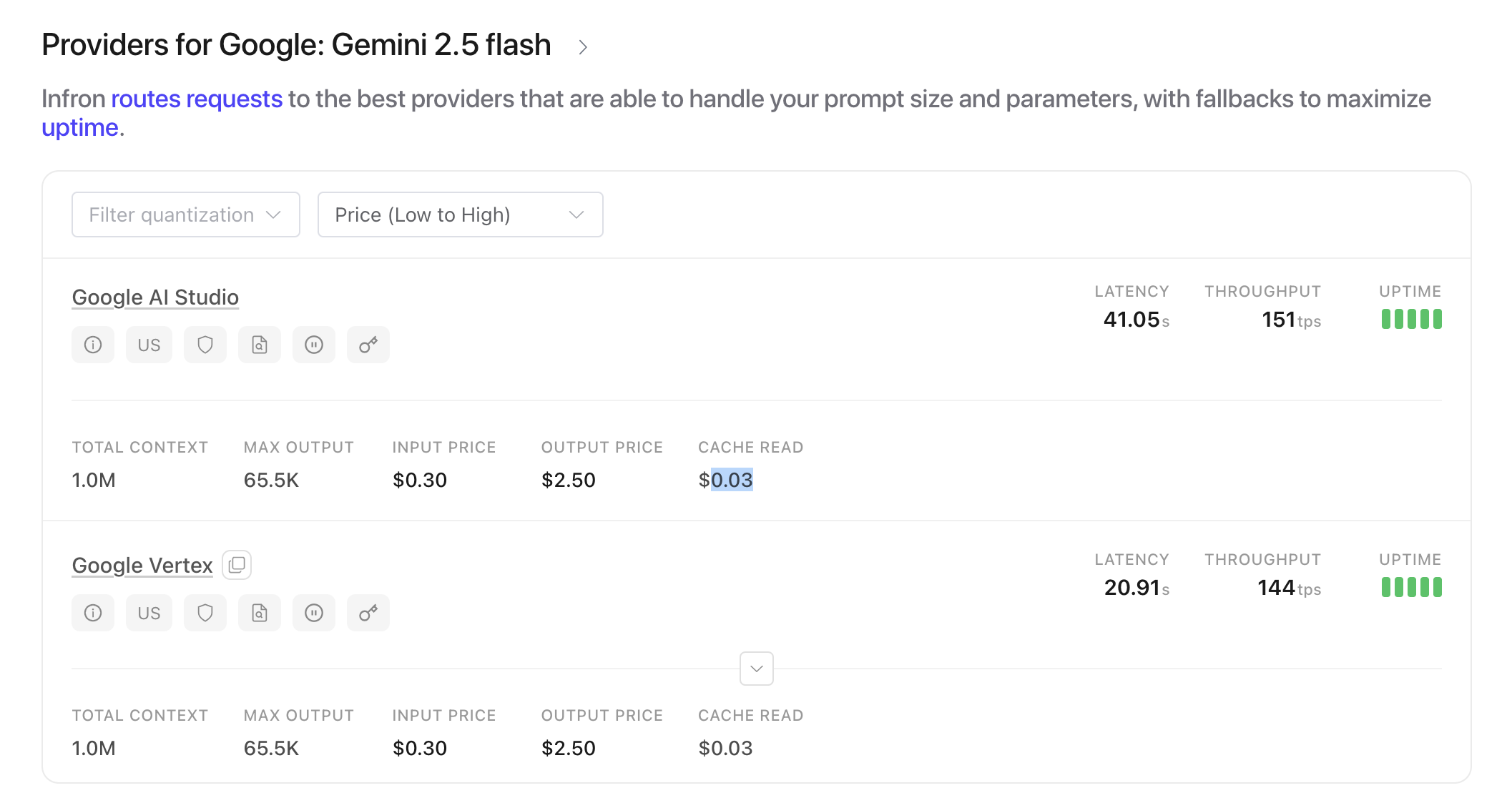
Gemini 2.5 Pro and 2.5 Flash models now support implicit caching, providing automatic caching functionality similar to OpenAI’s automatic caching. Implicit caching works seamlessly β€” no manual setup or additional cache_control breakpoints required.

Pricing Changes:

  • No cache write or storage costs.

  • Cached tokens are charged at 0.1x the price of original input token cost.

Note that the TTL is on average 3-5 minutes, but will vary. There is a minimum of 1028 tokens for Gemini 2.5 Flash, and 2048 tokens for Gemini 2.5 Pro for requests to be eligible for caching.

Official announcement from Googlearrow-up-right

circle-info

To maximize implicit cache hits, keep the initial portion of your message arrays consistent between requests. Push variations (such as user questions or dynamic context elements) toward the end of your prompt/requests.

Explicit Caching

circle-info

Coming soon.

Last updated