> For the complete documentation index, see [llms.txt](https://infronai.gitbook.io/docs/llms.txt). Markdown versions of documentation pages are available by appending `.md` to page URLs; this page is available as [Markdown](https://infronai.gitbook.io/docs/observability/performance-analysis.md).
# Performance Analysis
Performance Analysis
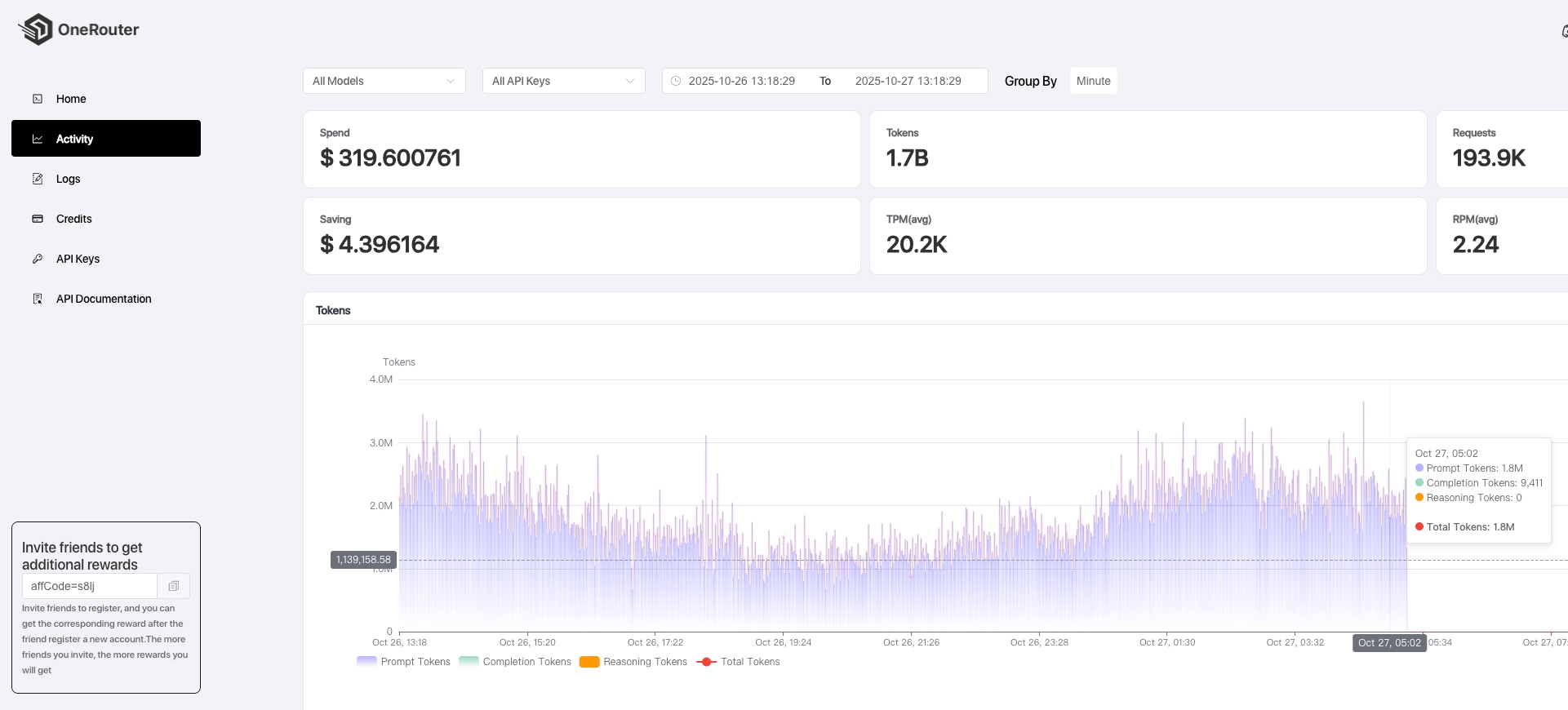
The [Activity page](https://infron.ai/dashboard/activity) provides a comprehensive analytics dashboard that offers detailed insights into your product usage and performance metrics. This centralized monitoring hub displays real-time and historical data across multiple key performance indicators.
### Key Metrics and Features
#### **Token Consumption Tracking**
Monitor your token usage patterns with granular visibility into consumption trends. The dashboard displays total tokens consumed, peak usage periods, and token distribution across different operations and time intervals.
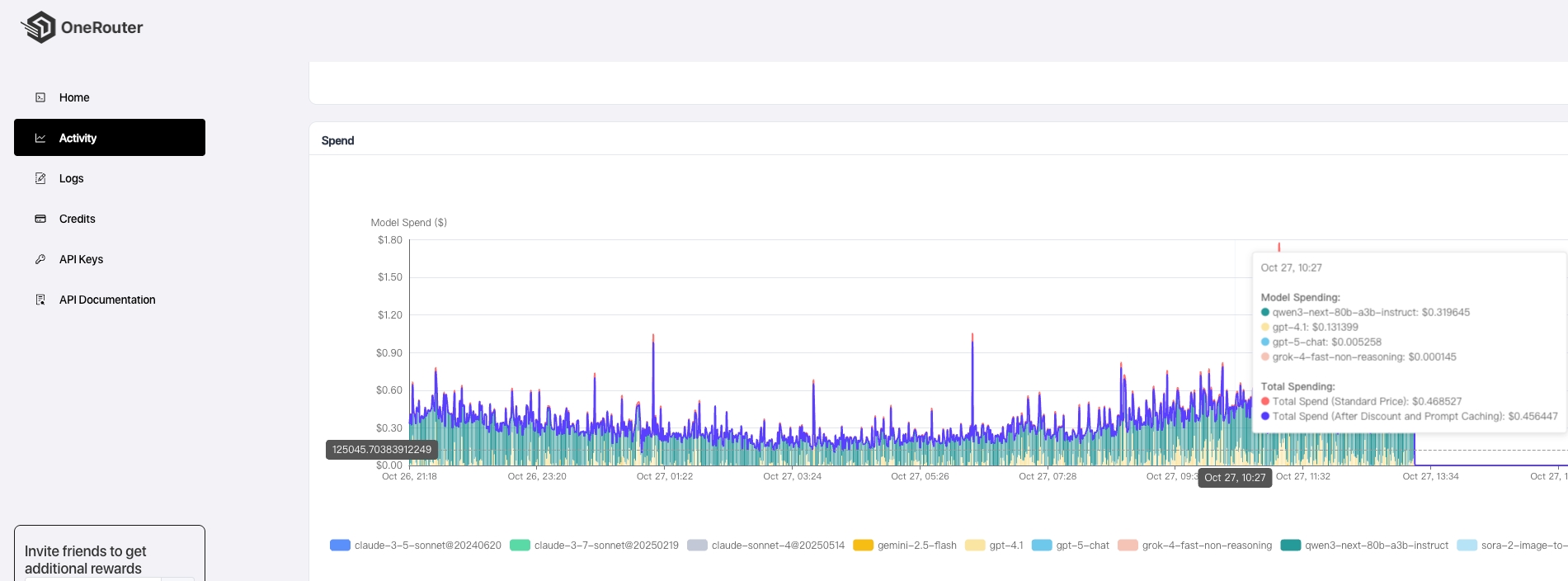
#### **Spend Analysis**
Track your financial expenditure with detailed cost breakdowns. View spending patterns, budget utilization rates, and cost-per-operation metrics to optimize your resource allocation and maintain budget control.
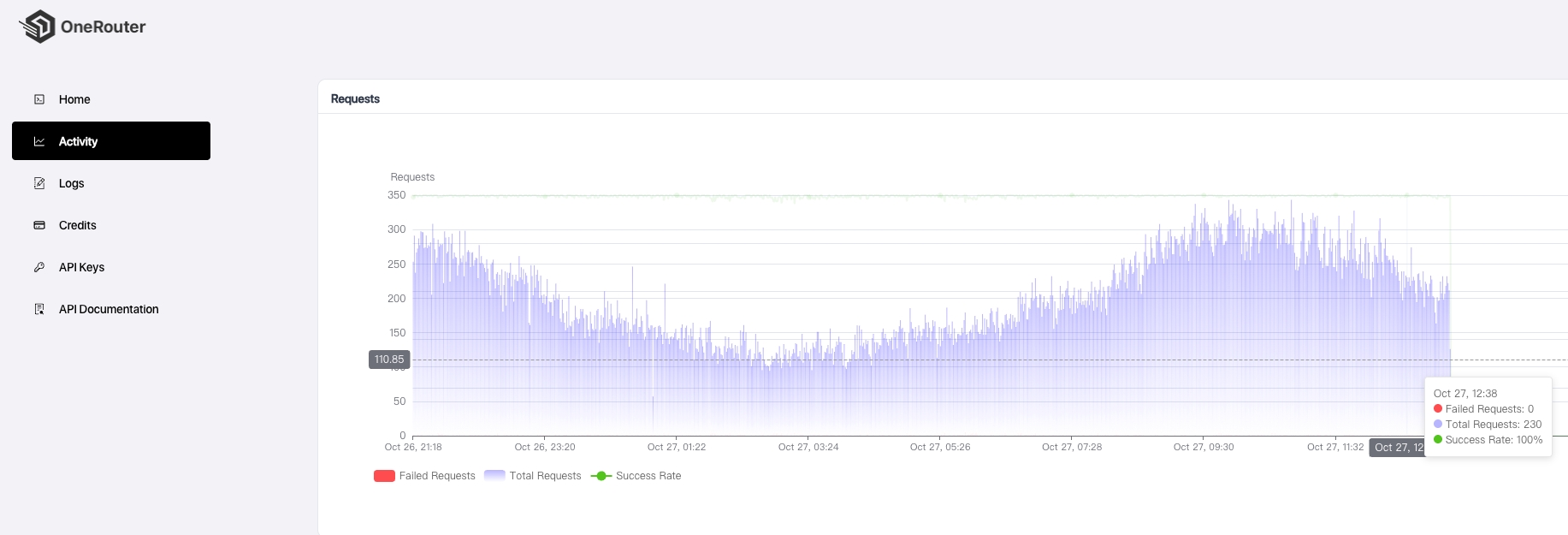
#### **Request Success Rate Monitoring**
Analyze the reliability of your API calls through comprehensive success rate statistics. The dashboard presents successful request percentages, failure rates, and trend analysis to help identify potential service issues.
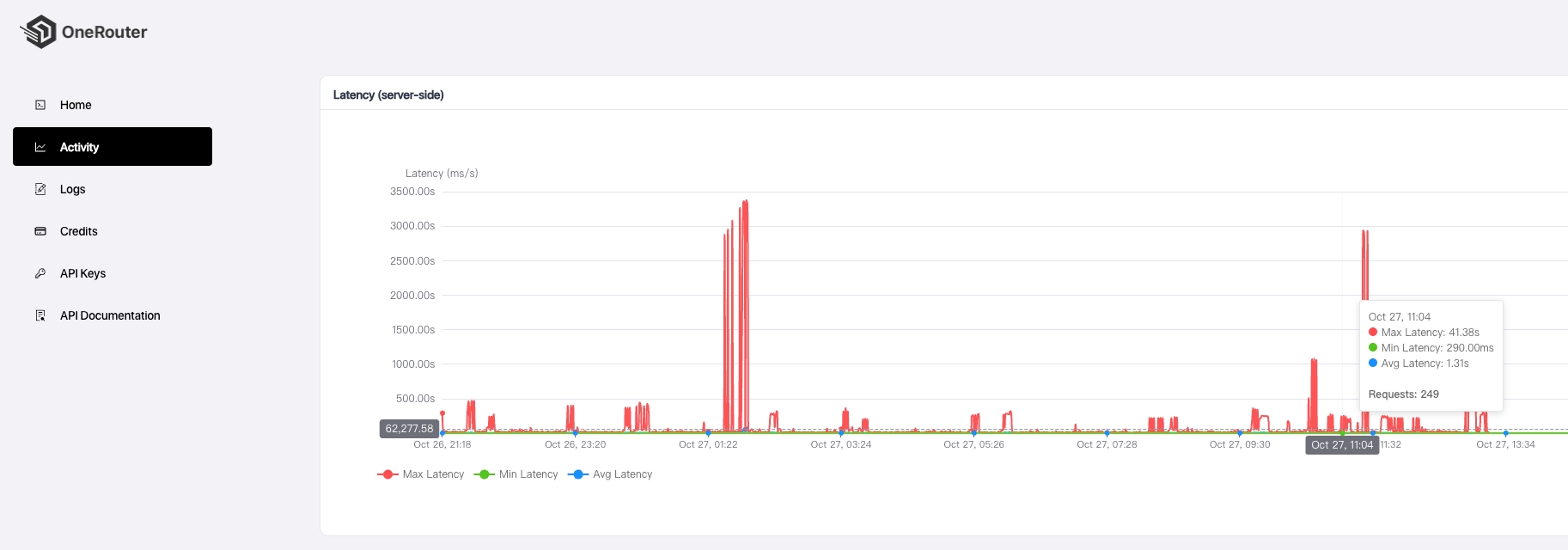
#### **Latency Performance Metrics**
Measure response times and system performance with detailed latency analytics. Monitor average response times, peak latency periods, and performance trends to ensure optimal user experience.
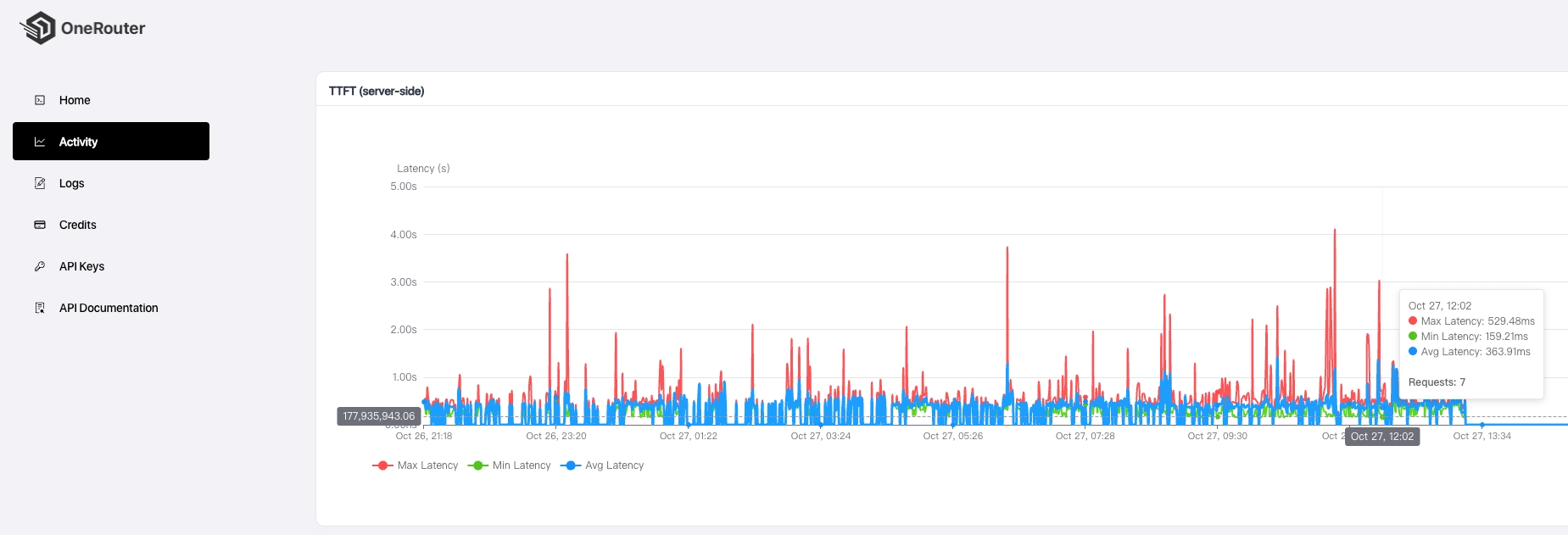
#### **Time to First Token (TTFT) Analysis**
Track the initial response time metrics, specifically measuring the duration from request initiation to the first token generation. This metric is crucial for understanding user-perceived performance.
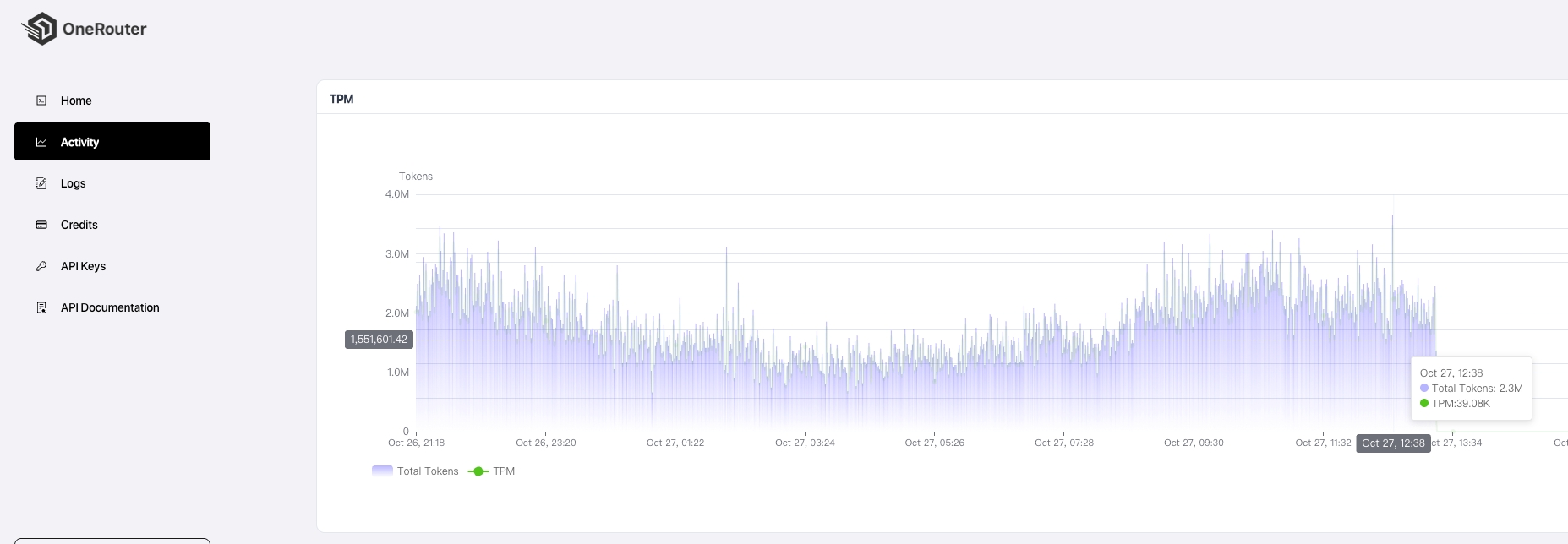
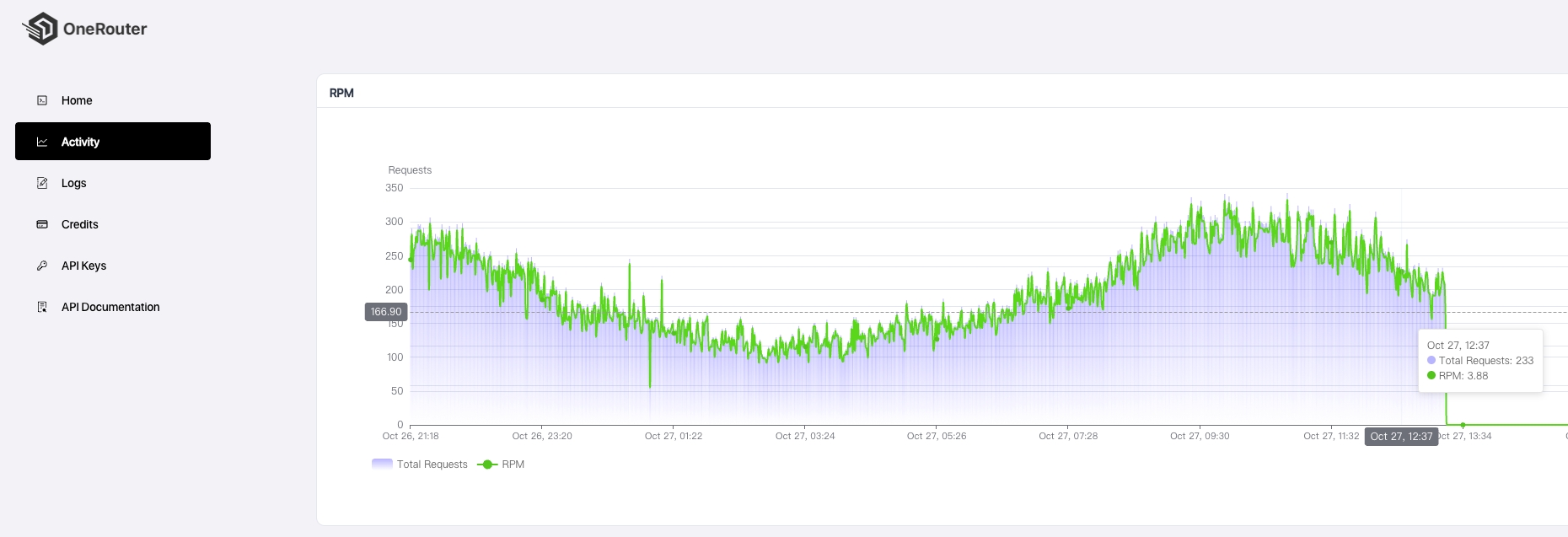
#### **Tokens Per Minute (TPM) & Requests Per Minute (RPM)**
Monitor your throughput capacity with real-time TPM and RPM measurements. These metrics help assess system load, identify bottlenecks, and optimize performance scaling.
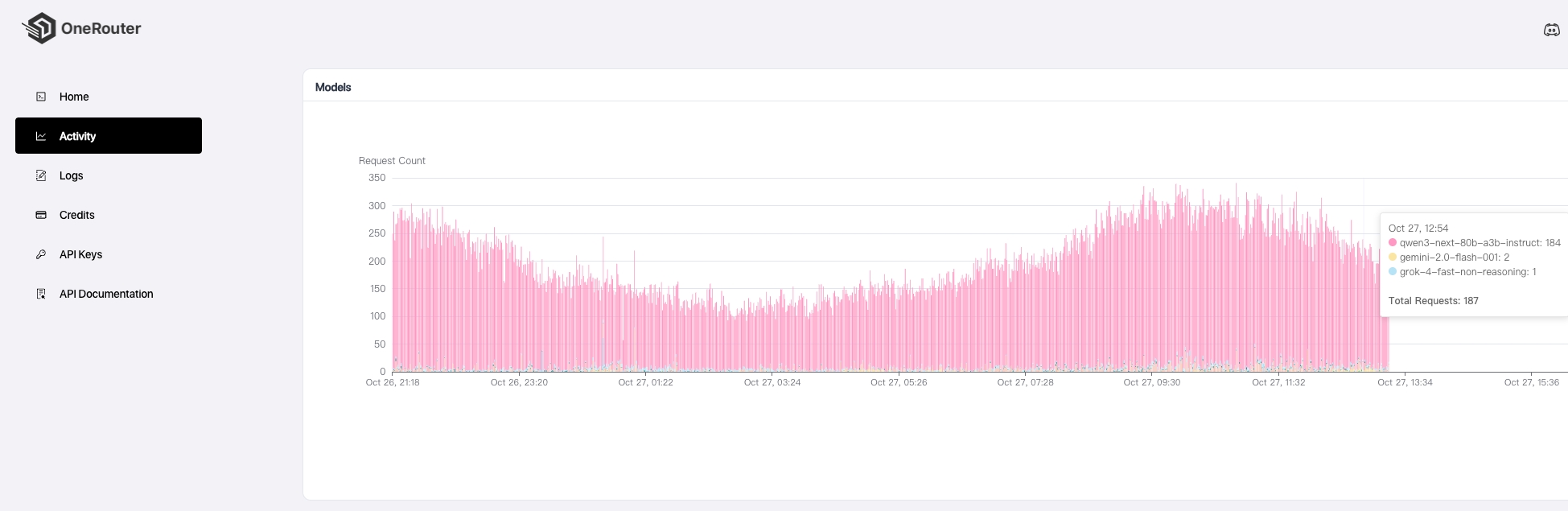
#### **Model Usage Distribution**
Visualize the distribution of API calls across different models with interactive charts and graphs. Understand which models are most frequently utilized and optimize your model selection strategy.
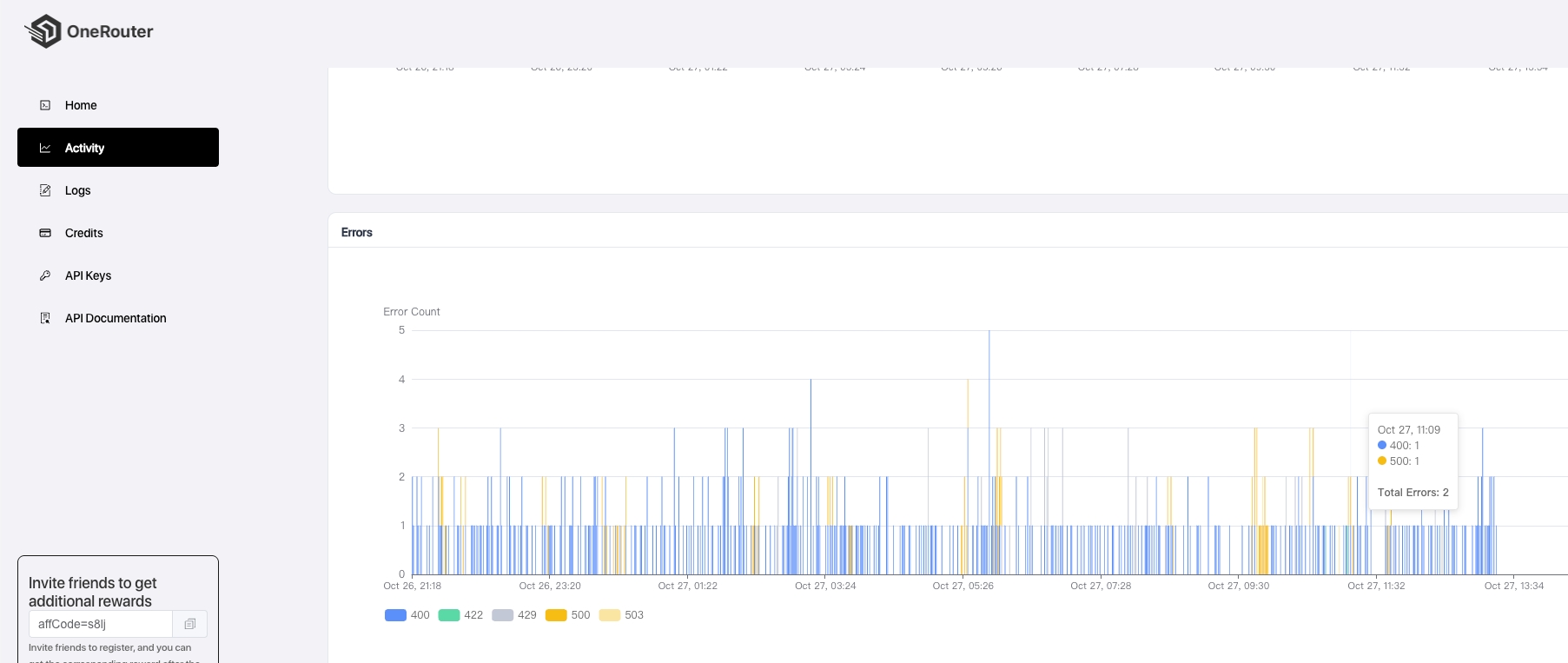
#### **Error Distribution Analysis**
Comprehensive error tracking and categorization system that breaks down failures by error type, frequency, and affected endpoints. This feature enables rapid issue identification and resolution.
The Activity dashboard serves as your command center for monitoring, analyzing, and optimizing your product's performance and resource utilization.
---
# Agent Instructions
This documentation is published with GitBook. GitBook is the documentation platform designed so that both humans and AI agents can read, navigate, and reason over technical content effectively. Learn more at gitbook.com.
## Querying This Documentation
If you need additional information that is not directly available in this page, you can query the documentation by asking a question.
Perform an HTTP GET request on the following URL with the `ask` and `goal` query parameters:
```
GET https://infronai.gitbook.io/docs/observability/performance-analysis.md?ask=&goal=
```
`ask` is the immediate question: it should be specific, self-contained, and written in natural language.
`goal` is what the user is ultimately trying to achieve, the reason they need the answer. Sharing it helps GitBook give you a better, more relevant answer. A goal is most helpful when it describes the outcome the user wants rather than restating the question. For example, with `ask=how do I create an API token`, a goal like `automate deployments from our CI pipeline` lets GitBook tailor the answer to that use case.
The response will contain a direct answer to the question and relevant excerpts and sources from the documentation.
Use this mechanism when the answer is not explicitly present in the current page, you need clarification or additional context, or you want to retrieve related documentation sections.